Services / Security camera systems
Commercial security camera installation in Orlando, FL
LocalTechify designs and installs IP security camera systems for businesses, warehouses, retail stores, restaurants, offices, HOAs and construction sites across Orlando and Central Florida. Every system starts with a coverage plan that decides where each camera goes, which lens it needs and how many pixels it must put on a face or a license plate. Then we install it on a network built to keep it recording and secure.
- Designed with coverage and PPF calculations
- More than 25 years of hands-on experience
- Hikvision Certified team
- Coverage map and credentials at handoff
Why does a designed camera system beat a box of cameras?
A designed system captures usable evidence, while a box of cameras usually captures blurry wide shots of the wrong spots. The difference shows up the first time you need to identify a person or read a plate and the footage is too far away, too dark or pointed at the sky.
Kit systems ship with one lens type, generic mounting and a small recorder. They ignore distance to the target, backlight at glass doors, headlights at night and how many days of video you actually need to keep. They also tend to land on the same flat network as your registers and office computers, with default passwords.
We start from the question you need answered: who came through this door, which car left the lot, what happened at the register. Then we work backward to camera position, lens, resolution and recording settings. For Orlando businesses that deal with shoplifting, after-hours break-ins, slip-and-fall claims or package theft, that design work is what turns video into evidence.
How do we design and install a security camera system?
We follow the same process on every project, from a four-camera office to a multi-building property.
Free site assessment
We walk the property with you, note entrances, parking, cash handling, blind spots, lighting, ceiling heights and cable paths, and ask what incidents you want to be ready for.
Coverage plan drawing
Every camera is placed on a floor plan or site plan with its field of view drawn in. You see exactly what each camera covers, and where the gaps are, before anything is installed.
Lens and resolution calculations
For each view we calculate the pixels per foot (PPF) at the target distance and pick the sensor and lens (fixed, varifocal or motorized zoom) that hits the goal for that spot.
Storage and network design
We size the NVR from camera count, resolution, frame rate, codec and retention days, then plan PoE power, switch ports and a separate camera VLAN.
Fixed written quote
You get a written quote tied to the coverage plan, with the camera list, recorder, storage and cabling spelled out.
Installation and cabling
We run and label every cable, mount cameras to structure with weather-rated boxes, and install surge protection where outdoor runs enter the building.
Aiming, tuning and testing
We aim and focus each camera, tune exposure, WDR and IR for day and night, set up analytics and confirm recording on every channel.
Handoff and training
You receive the coverage map, camera list, credentials and a hands-on walkthrough of viewing, searching and exporting footage.
How many pixels per foot does a camera need?
The pixels per foot a camera puts on the target decides what you can do with the footage, so we set a PPF goal for every view. These are typical industry targets; the IEC 62676-4 DORI framework uses similar tiers.
| Goal | Typical target | What you can do with it | Where we use it |
|---|---|---|---|
| Detect | About 20 PPF | Tell that a person or vehicle is present | Perimeters, fence lines, large lots |
| Observe | About 30 PPF | See what a person is doing, clothing colors, general actions | Aisles, warehouses, general floor areas |
| Recognize | About 40 PPF | Recognize someone you already know | Hallways, loading docks, common areas |
| Identify | About 80 PPF | Identify an unknown person with confidence | Entrances, exits, registers, reception |
| License plates | 60+ PPF, often more | Read plate characters, usually with a dedicated LPR camera | Gates, driveway entrances, drive-thrus |
PPF drops as distance grows. A 4 MP camera with a wide lens can meet the identify target at a doorway and only reach detection across a parking lot, which is why one camera cannot do every job.
Which type of security camera goes where?
Each camera style has a job it does best, and most commercial systems use a mix.
| Camera type | Best for | Typical placement |
|---|---|---|
| Dome | Discreet, vandal-resistant coverage indoors and under eaves | Retail floors, offices, hallways, ceilings within reach |
| Turret (eyeball) | Strong night vision with no IR glare off a dome bubble | Entrances, exterior walls, parking edges |
| Bullet | Long, narrow views and a visible deterrent | Fence lines, driveways, sides of buildings |
| PTZ (pan-tilt-zoom) | Live tracking and zooming across large areas | Parking lots, yards, construction sites, HOA common areas |
| Fisheye / 360 | One camera covering a whole room from the ceiling | Small stores, lobbies, open offices, dining rooms |
| LPR (license plate) | Reading plates day and night with tuned shutter and IR | Gates, community entrances, lot entry and exit lanes |
| Multi-sensor | Several views from a single mount and cable | Building corners, large lots, intersections of aisles |
Varifocal and motorized-zoom lenses let us fine-tune the field of view on site to match the PPF target in the coverage plan.
How much storage does a camera system need?
Storage is calculated, not guessed: cameras x resolution x frame rate x codec x days of retention. This table shows which choices push the storage requirement up and how we keep it under control.
| Factor | What increases storage | How we manage it |
|---|---|---|
| Number of cameras | Every added camera adds its own stream | Place cameras by the coverage plan, not by habit |
| Resolution | Higher megapixel counts create larger files | Use high resolution where PPF demands it, not everywhere |
| Frame rate | More frames per second means more data | Higher rates at registers and doors, lower rates for general views |
| Codec | Older H.264 streams are larger | Use H.265 or the maker's smart codec when supported |
| Scene activity | Traffic, moving trees, rain and night IR noise raise bitrate | Aim to avoid needless motion and tune night settings |
| Recording mode | Continuous recording uses the most space | Continuous on key cameras, motion or event recording elsewhere |
| Retention days | Each extra day multiplies the total | Set retention by your needs, your insurer and your policies |
| Redundancy (RAID) | RAID reserves part of the drives for protection | Use RAID on larger NVRs so one failed drive does not erase video |
We record everything on a local NVR with surveillance-rated drives, so recording keeps going if the internet goes down. Cloud backup of selected cameras or clips can be added when it makes sense.
Can you watch your cameras from your phone and get alerts?
Yes, every system we install includes secure remote viewing on phones and computers, with alerts that focus on real events.
Remote viewing
Watch live and recorded video from the manufacturer app or a desktop client, with separate user accounts and permissions for owners, managers and staff.
Multiple locations
Owners with several stores or buildings can see every site in one app, with each site recording locally.
Person and vehicle detection
AI analytics on the camera or recorder separate people and vehicles from shadows, headlights, rain and palm fronds, which cuts false alerts dramatically.
Line crossing and intrusion zones
Draw a line at a fence, gate or back door and get notified only when someone crosses it during the hours you choose.
Smart search
Find every person or vehicle that entered a zone in a time window, instead of scrubbing through hours of video.
License plate lists
LPR cameras can log plates and flag vehicles on allow or alert lists at gated entrances.
How do we build camera systems for Florida weather?
Central Florida heat, humidity, lightning and hurricanes break cheap installs, so we plan for them from day one.
Weather ratings
Outdoor cameras are IP66 or IP67 rated against driving rain and dust, and IK10 vandal rated where they are within reach.
Heat and humidity
We pick cameras rated for high operating temperatures, avoid direct afternoon sun on housings where possible, and seal every exterior penetration and junction box.
Surge and lightning protection
Outdoor cable runs get surge protectors where they enter the building, tied to a proper ground, so a nearby strike is less likely to take out the switch and recorder.
Power outages
A UPS on the NVR and PoE switch keeps cameras recording through short outages and lets equipment shut down cleanly on longer ones.
Hurricane preparation
Cameras are mounted to structure, not just soffit or stucco, and poles and brackets are chosen for wind exposure.
Post-storm checks
After a storm we can re-check aim, seals, power and recording on every channel, so you know the system is working when you need footage most.
What equipment do we install?
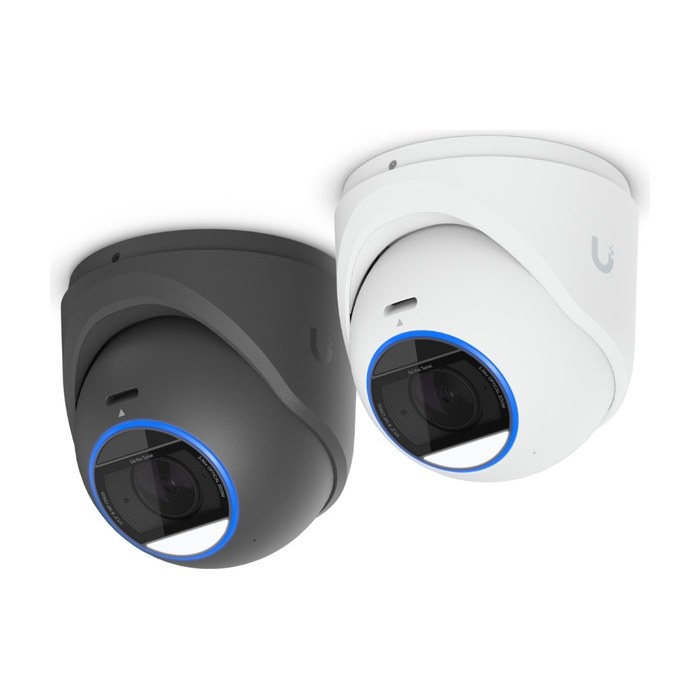
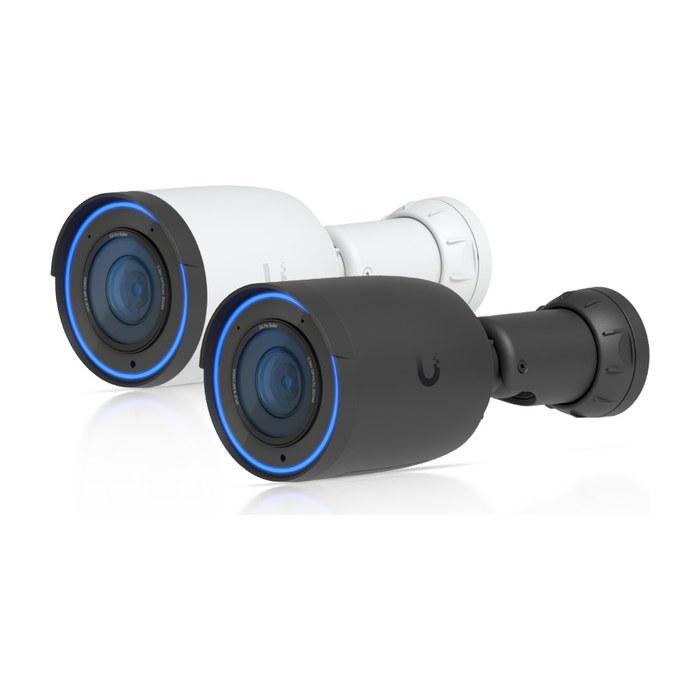
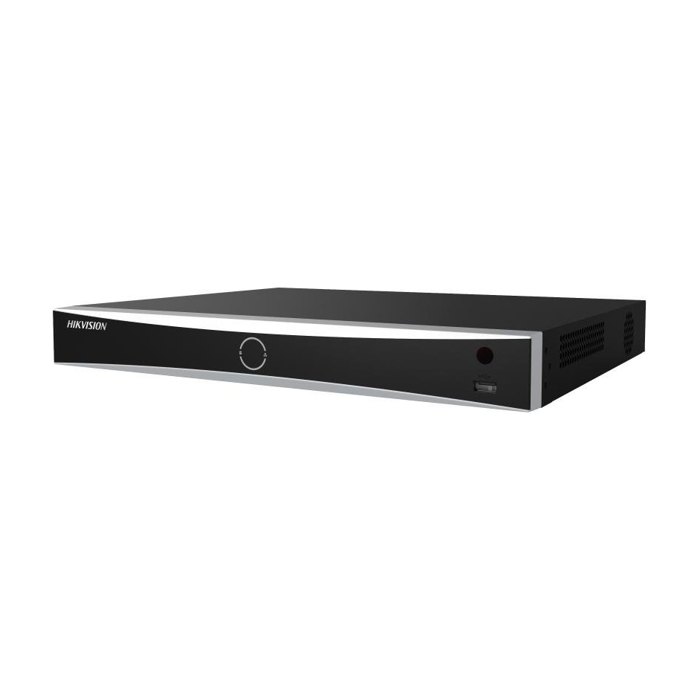
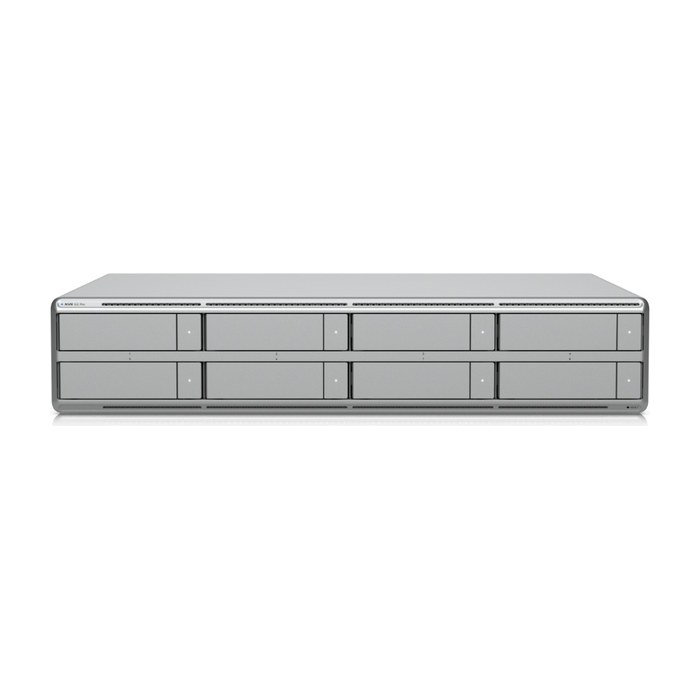
We pick the platform for your site, budget and how you want to manage it. Brands we install: Hikvision, Dahua, Axis, Hanwha Vision, UniFi Protect.
Why does the network behind the cameras matter?
The network is what keeps cameras powered, recording and private, and it is where most installs fall short. Our background is networks and structured cabling, so we build the camera side like the IT infrastructure it is.
That means a PoE budget calculated for every switch so IR and heaters never brown out at night, a dedicated camera VLAN that keeps video traffic away from your registers and office computers, strong unique passwords, no default accounts, no unnecessary open ports, and firmware updated at install. Every cable is labeled on both ends and tested, and the network diagram is part of your handoff.
Which security camera brands do we install?
We install professional lines from five manufacturers and match the brand to your site, budget and how you want to manage it.
Hikvision
A wide range of cameras, NVRs and analytics with strong low-light performance. Our team is Hikvision Certified.
Dahua
Broad product line with capable AI analytics and a mature recorder platform.
Axis
Well known for build quality, open standards and long product life in enterprise environments.
Hanwha Vision
Excellent image quality, strong WDR and solid on-camera AI for commercial sites.
UniFi Protect
Simple management in one app, a good fit for businesses already running a UniFi network.
Can you upgrade an old analog or DVR camera system?
Yes, and you often do not need to replace all the cable to do it. If your building has coax from an older analog system, we can test it and, when it is in good shape, reuse it with HD-over-coax cameras and a new recorder for a sharp jump in image quality.
When the goal is AI analytics, higher resolution or a system that grows easily, we convert to IP cameras on Cat6 with PoE. Some sites use both: reuse good coax where it runs, pull new cable where it matters most. The assessment tells you which path fits your building.
What drives the price of a commercial camera system?
Cost depends on the site and the goals, and the free assessment produces a fixed written quote. These are the factors that move it.
Camera count and type
More views, LPR, PTZ and multi-sensor cameras add cost compared with standard domes and turrets.
Cable run lengths and pathways
Long runs, fiber to outbuildings, conduit, trenching or hard ceilings take more material and labor.
Ceiling height and lifts
High warehouse ceilings and tall poles may require lifts or special equipment.
Retention days
More days of recording and higher resolution require more drive capacity.
Analytics
Advanced AI features, plate recognition and multi-site management can add hardware or software.
After-hours work
Installing outside business hours to avoid disrupting customers can affect labor cost.
What do you receive when the installation is done?
You own your system and all the information needed to run it.
- Camera coverage map showing each camera and its field of view
- Camera list with model, location, IP address and settings
- Admin credentials handed to you, not kept only by us
- Labeled cables and switch ports, with cable test results
- Network diagram of the camera system
- Staff training on live view, playback and smart search
- Step-by-step guide to export footage for police or insurance
Do we offer camera maintenance plans for businesses?
Yes, maintenance plans are available for businesses. Plans can include periodic health checks, firmware updates, drive and recording checks, lens cleaning and re-aiming, and post-storm inspections.
Cameras that are never checked tend to fail quietly. A scheduled review catches a dead drive, a camera knocked out of position or a storage setting that no longer meets your retention goal before you discover it the day you need footage.
Can a business record audio on security cameras in Florida?
Florida is an all-party consent state for recording conversations (Fla. Stat. 934.03), so recording audio on business cameras carries legal risk. For that reason we recommend video-only recording in most business areas.
If you have a specific reason to capture audio, check with an attorney before it is enabled. This is general information, not legal advice. We can leave microphones disabled or choose cameras without them.
Team credentials
- 25+years hands-on
- Network+CompTIA Network+
- A+CompTIA A+
- MCSAMicrosoft Certified Systems Administrator
- MCSEMicrosoft Certified Systems Engineer
- HikvisionHikvision Certified
Security camera systems: common questions
Industries we serve: Construction and contractors, Offices, Retail and restaurants, HOAs, property managers and rentals, Homes
How much does a commercial security camera system cost?
The price depends on the number and type of cameras, cable run lengths, ceiling heights, days of recording, analytics and whether work happens after hours. We do not guess from a phone call. The free site assessment produces a coverage plan and a fixed written quote.
How many security cameras does my business need?
Enough to cover every entrance, exit, cash point and key area at the level of detail each spot requires. We decide the count by drawing a coverage plan with a pixels-per-foot target for each view. Many businesses find a well-placed smaller system outperforms a larger one placed by guesswork.
Should I choose IP cameras with an NVR or an analog DVR system?
For most new commercial installs, IP cameras with an NVR are the better choice. They offer higher resolution, AI analytics, PoE power over one cable and easier expansion. HD-over-coax on a DVR can still make sense when good existing coax can be reused.
How long will my cameras keep recorded video?
Retention depends on drive capacity, camera count, resolution, frame rate, codec and recording mode. We calculate storage for the number of days you choose and size the NVR to match. Cloud backup of selected cameras or clips can be added.
Can I view my cameras from my phone or manage several locations?
Yes. Every system includes secure remote viewing on phones and computers with separate user permissions. Owners with multiple locations can view all sites in one app while each site records locally.
How long does a camera installation take?
It depends on camera count, cable paths, ceiling heights and site access. Your written quote includes the scope and a schedule, and we can work after hours to avoid disrupting your business.
Can you reuse my existing camera system or cabling?
Often, yes. We test existing coax and Cat5e or Cat6 cable, and good cable can be reused with HD-over-coax or IP cameras. Mounts and pathways can sometimes be reused as well.
Do security cameras work at night?
Yes. Cameras use infrared illumination, low-light sensors and WDR to capture usable images at night and in backlit doorways. We aim and tune each camera for both day and night, and add lighting recommendations where the scene needs it.
How do your cameras handle Florida heat, rain, hurricanes and power outages?
We use IP66 or IP67 weather-rated and IK10 vandal-rated cameras, mount them to structure and seal every exterior penetration. Outdoor runs get surge protection, and a UPS keeps the recorder and PoE switch running through short outages. Post-storm checks are available.
Which camera brands do you install?
We install Hikvision, Dahua, Axis, Hanwha Vision and UniFi Protect. Our team is Hikvision Certified. We recommend the brand that fits your site, your budget and how you want to manage the system.
Can your cameras read license plates?
Yes, with dedicated LPR cameras placed and tuned for the job. Reading plates usually needs 60 or more pixels per foot, the right angle and a fast shutter with IR at night. Gate entrances and lot entry lanes are the most common locations.
Is it legal to record audio on business cameras in Florida?
Florida requires the consent of all parties to record conversations (Fla. Stat. 934.03). We recommend video-only recording in most business areas and talking with an attorney before enabling audio. This is general information, not legal advice.
Do you offer warranty and maintenance on camera systems?
Warranty terms depend on the products chosen and are spelled out in your written quote. Maintenance plans are available for businesses and can include health checks, firmware updates, recording checks and post-storm inspections.
Can cameras integrate with access control or alarms?
Yes. Many platforms can link door events, alarm inputs and camera video so you can see who opened a door or what triggered an alarm. We design these integrations with our access control work on UniFi Access, HID, Hikvision and Brivo.
Do you install cameras for HOAs and construction sites?
Yes. For HOAs we cover gates, amenities and common areas, often with LPR at entrances. For construction sites we plan coverage of material storage and site entrances, with power and connectivity designed for the site.
Often paired with
Network design and cabling
Network design and structured cabling for Central Florida businesses: Cat6, Cat6A and fiber, labeled, tested and documented, plus closet cleanups.
See network design and cablingBusiness WiFi and networking
Business WiFi designed from a site survey, built on wired access points, segmented for security and documented at handoff.
See business wifi and networkingAccess control
Door access control with cards, fobs, phones or PIN, installed on UniFi Access, HID, Hikvision or Brivo and tied to your cameras.
See access controlBook a free site assessment
Tell us what you need. We'll call you to schedule a free on-site assessment.
- No cost, no obligation
- We walk the site and check what's already there
- You get a clear plan and written quote
Prefer to talk? (689) 999-1144